
How can we help?
Jule, our digital assistant, takes care of this directly: delivery status, changing your address, cancelling, complaints, invoices and regular delivery.
Loading Jule …
Go to your order
You will need your order number for this. You can find it in your order confirmation.
Your deliveries and your account
For reading up
Nothing here? Write to us at info@fittaste.com – ideally with your order number – or call: 0651 60340117.
Where is my order?
See the current status of your order.
The status of your order is now shown by Jule, our digital assistant – right at the top of the help centre.
Change or cancel order
You can do both as long as the order has not yet been shipped.
Jule, our digital assistant, now takes care of this directly – at the top of the help centre. For security, a code will be sent to the e-mail address of the order.
Something wrong with the delivery?
We're sorry to hear that. Broken jar, domed lid, missing meal or wrong meal delivered – Jule will record it with a photo.
Have these ready: the order number, the meal and the number of jars, a photo, and the batch and best-before date from the rim of the lid. You don't need to send anything back.
Download invoice
Save the invoice as a PDF.
You can now get your invoice directly from Jule, our digital assistant – at the top of the help centre.
Manage regular delivery
Jule takes care of pausing, restarting or ending your delivery directly. You can change meals, quantity and interval in the customer portal.
For security, a code will be sent to the e-mail address of your order.
How to manage your regular delivery
Click “Manage regular delivery” below and enter the e-mail address you ordered with. We will then send you an access link by e-mail – no password needed. From there you can pause your delivery, postpone the next delivery date, change the contents or cancel.
Can't find your delivery there, or something isn't working? Then please contact our service team – we will take care of it straight away.
Customer account
Forgot your password or want to stop receiving the newsletter – you can do it right here.
Forgot your password
Click “Go to login” below to reset your password. On the login page you will find the link “Forgot password?”.
Go to login →Unsubscribe from the newsletter
Jule, our digital assistant, now takes care of this straight away.
Product questions
Nutritional values, ingredients and allergens for our meals.
Frequently asked questions
Here you will find answers to the questions we are asked most often.
1Order, delivery & prices26
Directly on fittaste.com. First you choose your box size – we offer 12, 24 and 36 jars per delivery – and then you put your box together under Build your box yourself. You can choose each meal individually and also decide how often it should be included.
Yes. Send us an e-mail at info@fittaste.com or a letter to FITTASTE23 GmbH, Predigerstr. 15, 54290 Trier – with the meals you would like, your address and your telephone number.
You can also order by phone: 0651 60340117, around the clock.
You will then receive a confirmation with all the payment details.
Yes, the smallest box contains 12 meals.
The jars travel in cartons with fixed compartments for 12 jars – so they arrive safely. That is why you order 12, 24 or 36 jars.
Yes, with every order. You put your box together completely freely and can also choose individual meals more than once.
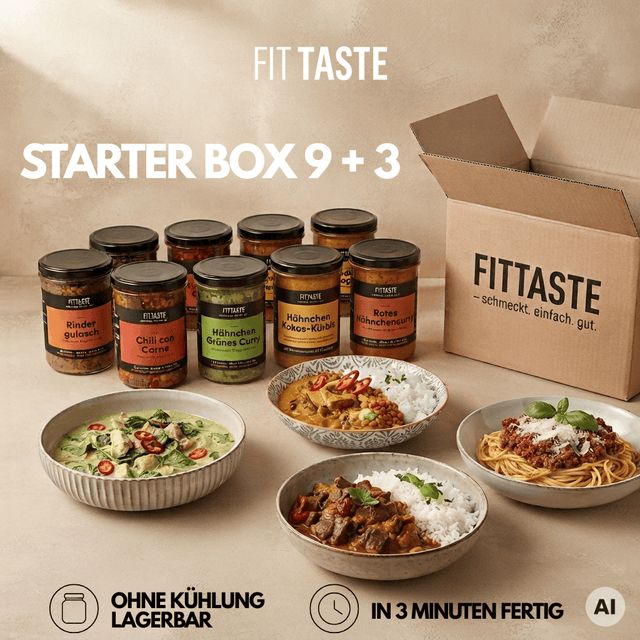
12 jars in different varieties, ready put together – so you can get to know several meals. You can see which meals are included on the page of the Starter Box.
If you would rather choose each meal yourself, you can build your box.
No. The Starter Box is a one-off order, and nothing more follows. You only get a regular delivery if you expressly choose one.
Your order usually arrives within 2–3 working days at your door. We ship with DHL. As soon as your parcel is on its way, you automatically receive the shipping confirmation with a tracking number.
If you would like it faster, you can choose priority shipping when you order.
Ask Jule, our digital assistant, at the very top of the help centre: click “Where is my order?” and enter your order number and the postcode of the delivery address. You will see the current status of your order straight away.
If the parcel is already on its way, you can go straight to tracking via “Track shipment with DHL” .
First ask Jule at the very top of the help centre for the current status (“Where is my order?”). As long as you have not received a shipping confirmation, the order is still with us – not with the delivery service.
If you need a binding shipping date as well, get in touch via FAQ → “Other” with your order number.
First check your spam or promotions folder. If it isn't there, ask Jule at the very top of the help centre (“Where is my order?”) whether your order has reached us. If you can't find it there, get in touch via FAQ → “Other” with the name and e-mail address you ordered with.
As long as the order has not yet left our warehouse: yes. Jule takes care of this at the very top of the help centre: click “Change address or cancel” and then “Change delivery address”. For security, you will receive a code at the e-mail address of your order.
If the parcel has already been shipped, we can no longer change the address – the only option is then to redirect it directly with the delivery service.
Yes. Simply enter their address as the delivery address when you order – the delivery and billing addresses can be different.
As long as it has not yet been shipped, yes – directly with Jule at the very top of the help centre: click “Change address or cancel” and then on “Cancel order”. For your security, you will receive a code at the e-mail address used for your order, and you then confirm the cancellation with it.
We will refund the full amount to your original payment method; depending on the payment method, the credit takes 1–5 banking days.
If the parcel has already been dispatched, unfortunately it can no longer be stopped.
Get in touch via FAQ → “Other” with your order number and the period when you are not available – we will postpone the delivery accordingly.
With a regular delivery, after your second delivery you can, in the customer portal also postpone or pause the next delivery yourself.
Germany – standard shipping (DHL, 2–3 working days)
| Box size | Shipping costs |
|---|---|
| from 12 meals | 8,99 € |
| from 24 meals | 9,99 € |
| from 36 meals | 10,99 € |
Germany – priority shipping
| Box size | Shipping costs |
|---|---|
| from 12 meals | 10,99 € |
| from 24 meals | 11,99 € |
| from 36 meals | 12,99 € |
Austria, Luxembourg, Spain and Portugal – tiered by order value:
| order value | Shipping costs |
|---|---|
| up to €100 | 13,99 € |
| up to €200 | 17,99 € |
| up to €325 | 20,99 € |
| up to €600 | 39,99 € |
The shipping costs will be shown to you in the order process before you pay.
Yes, in the order process you can opt for the priority shipping option. It costs €2.00 extra compared with standard shipping.
We deliver to Germany, Austria, Luxembourg, Spain and Portugal.
Yes, when ordering you can enter a DHL Packstation as your delivery address.
Please first check with your neighbours, in the stairwell, in the garage and at the drop-off location named in the tracking.
If the parcel still hasn't turned up after 24 hours, report it to Jule at the very top of the help centre: “Parcel has not arrived”. We'll then start an investigation and take care of finding a solution – you don't need to sort it out with the delivery service yourself.
Your parcel will first go to a collection point near you. If it isn't collected there and comes back to us, a non-acceptance fee applies: €15 within Germany, €30 for deliveries abroad.
One jar contains 380 g and is a complete meal.
We recommend serving it with a filling side such as rice, potatoes, pasta or bread – then one jar easily makes two meals. You can see the current price per jar for each box size directly in the shop.
Please check three things:
- Is the code still valid? Promotional codes have an expiry date.
- Did you enter it in the “Discount code” field in the cart and click “Redeem”?
- Does your order meet the conditions of the code? Some codes only apply to certain types of order or from a minimum quantity – you will find the conditions in the promotional e-mail.
If it still doesn't work, get in touch via FAQ → “Other” and send us a screenshot of your cart.
Some offers are only available through a particular advert or newsletter, or only for a short time. If you still have the link from the advert or e-mail, just open it again.
On the website you will always find the current offer for your first order: the Starter Box.
Please check your spam and promotions folders. If the e-mail isn't there, get in touch via FAQ → “Other” – we will send you the code directly. Your discount will not expire as a result.
This can happen if an order has already been placed with your e-mail address or postal address – for example by a family member. Get in touch via FAQ → “Other”and we will check this and apply the new customer discount for you manually.
2Regular delivery12
With regular delivery, you receive your box automatically at the interval you choose, and you get a permanent 20% discount on every delivery. You decide which meals are included, how big the box is and how often it is delivered.
Important: Regular delivery includes at least two deliveries. After that, you can end or pause it at any time.
In the order process, you can choose between two options for each box size:
- One-off purchase – you get exactly this one delivery, and nothing is repeated.
- Regular delivery – you get a permanent 20% discount, and your box is automatically delivered and charged again at the interval you choose. A minimum of two deliveries applies.
You can see whether a regular delivery is set up for you in the customer portal (help centre → “Change regular delivery”). If nothing is set up there, you don't have one.
In the order process, choose the option “One-off purchase” instead of “Regular delivery” for your box size. Then nothing is repeated automatically. The 20% discount does not apply in that case.
Yes. Regular delivery includes at least two deliveries. It can only be ended after the second delivery – after that, at any time and without a notice period. This is the basis for the permanent 20% discount you receive in return.
Pausing, changing the interval and skipping a delivery are also only possible after the second delivery. You can swap your meals from the start.
The quickest way is with Jule at the very top of the help centre: click “Manage regular delivery” and then “End”. For your security, you will receive a code at the e-mail address used for your order. Alternatively, you can end it in the customer portal.
Only after the second delivery: Before then, the minimum of two deliveries applies. Pausing, lengthening the interval and skipping a delivery are also only possible after the second delivery. You can swap your meals before then. If you would like to end it earlier, Jule will pass your request on to our customer service, who will get back to you with your options.
This is possible after your second delivery. Pausing is taken care of by Jule at the very top of the help centre directly (“Manage regular delivery”). In the customer portal you have three options:
- Skip a single delivery – the one after next arrives as planned
- Pausing with no fixed end date – you get in touch when you want to resume
- Lengthen the interval – for example to 6, 8 or 12 weeks instead of 4
Your 20% discount is kept in all three cases.
In the customer portal under your regular delivery. This is possible after your second delivery.
In the customer portal you can adjust your selection at any time, as long as the next delivery has not yet been triggered.
Yes, in the customer portal you can switch between 12, 24 and 36 meals. Your 20% discount and your delivery interval are kept.
The trigger date depends on the day on which you set up your regular deliveryand repeats at the interval you have chosen. You can see the exact date in the customer portal.
Changes, pauses and cancellations must before this date be made in good time beforehand. Once the delivery has been triggered, we can no longer stop it.
If a meal is removed from our range, we will e-mail you to tell you which of your meals are affected and which alternatives are available. You can then choose your replacement meal directly in the customer portal to select.
In the customer portal. Important: The change must be made before the next delivery is triggered.
3Payment & invoice10
- PayPal
- Credit and debit card (Visa, Mastercard)
- Klarna
- Apple Pay, Google Pay
- Pay by invoice
- Bank transfer in advance
Yes, for one-off orders. You select pay by invoice directly in the order process under “Payment method”. You have 14 days to pay from the invoice date.
Our payment service provider Unzer will send you the recipient, IBAN and payment reference by e-mail. Pay by invoice is not available for regular deliveries.
Can't find pay by invoice at checkout? Then you probably have regular delivery selected – only card and PayPal are available for that. Switch to “One-off” when building your box or in the cart, and then you can pay by invoice.
Select “Bank transfer in advance” at checkout. Our bank details will then appear in your order confirmation and in your customer account.
Important: Please use only your order number – this way we can clearly match your payment. As soon as the payment has reached us, your order will be processed.
Bought by invoice? Then please don't transfer the money to us, but to our payment service provider Unzer. Unzer will send you the recipient, IBAN and payment reference by e-mail. You can also find them in your customer account under the order.
This usually happens for one of two reasons:
- Bank processing time. A bank transfer takes 1–2 banking days, and longer over a weekend. Our reminder is sent automatically and doesn't yet know about your transfer at that point.
- Missing or incorrect order number in the payment reference. Then your money arrives but cannot be matched to an order.
In both cases, get in touch via FAQ → “Other” with the date and amount of the transfer, and we will match it manually. You will not have to pay twice.
No problem, we can sort this out. Let us know via FAQ → “Other” the amount, the date and the name of the account holder – we will find the payment and match it correctly.
Common causes: an expired card, a security confirmation from your bank that wasn't completed, or a debit card that isn't enabled for online payments. You can always use PayPal, Klarna, pay by invoice or bank transfer in advance instead.
Get in touch via FAQ → “Other” with the order number, amount and date of the debits. We will check this and refund one payment – depending on the payment method, the credit takes 1–5 banking days.
With Jule at the very top of the help centre: click “Download invoice” and enter your order number and the postcode of your delivery address. You will immediately get the link to your invoice and can save it there as a PDF.
The invoice is available as soon as your payment has been received. The link is also in your shipping confirmation e-mail.
Yes. Let us know the correct billing address, together with your order number, via FAQ → “Other” and we will reissue the invoice.
Delivery and billing addresses can be different – you can also enter this directly when you order.
We always refund to the original payment method. Depending on the payment method, the credit takes 1–5 banking days from the time we trigger the refund.
4Product & nutrition18
Classics such as beef goulash, chicken fricassee and chilli con carne, plus curries and meals with tomato sauce. All meals contain meat – beef or chicken.
Our range changes from time to time. If you can't find a meal any more, it is currently unavailable. You can see all available meals under FITTASTE in a jar. You choose each jar yourself.
All meals are cooked in Germany. The meat comes from Germany.
One jar contains 380 g and is a complete meal. All meals come in this one jar size only.
We also recommend a filling side such as rice, potatoes, pasta or bread – this turns one jar into two meals.
Microwave: Transfer the contents to a bowl, cover and heat for 2 to 3 minutes at medium power.
Pan: Put the contents in a pan and warm over medium heat for about 5 minutes, stirring occasionally.
Water bath: Remove the lid and place the opened jar in hot water for 5 to 8 minutes – the water should not come above the rim.
The jar must not go in the microwave – it has a metal lid and thick, uneven walls, and the stresses could make it crack. The opened jar can, however, safely stand in a hot water bath: it warms up slowly and from the outside.
Unopened, our meals keep for 12 to 24 months depending on the batch. You will find the exact best-before date on the rim of the lid or on the jar.
Unopened jars need no refrigeration – keep them dry, protected from light and not too warm. Once opened, the meal belongs in the fridge and should be eaten within two days.
No. Unopened, the jars keep for 12 to 24 months without refrigeration. The exact date is printed on the rim of the lid or on the jar. Once opened, the meal belongs in the fridge and should be eaten within two days.
Both are printed on the rim of the lid or on the jar. You will need both details if you make a complaint about a jar via the help centre – it is best to note them down or photograph them before you throw the jar away.
Our jars are sealed very tightly by the vacuum. This is important for keeping the food fresh, but it can make opening difficult. These tricks help:
- Hold the lid briefly under warm water
- Use a rubber glove or a damp cloth for a better grip
- Use a Carefully slide the handle of a spoon sideways under the edge of the lid until air gets in and the vacuum is released
- Alternatively, use a simple jar opener
Please do not pierce the lid – this can affect the safety of the product. And if the lid is bulging or the jar looks damaged: do not open it, do not eat it, and please tell us via Jule at the very top of the help centre (“Something is wrong with my delivery”).
Yes. The audible pop shows that the vacuum was intact. If there is no pop, or if the lid is bulging or pushed in, please do not eat the meal and report it via Jule at the very top of the help centre (“Something is wrong with my delivery”) – we will replace it.
Through a gentle heating process: the finished meals are heated in the already sealed jar. This inactivates the microorganisms responsible for spoilage. The jar and the heat treatment together ensure the long shelf life – we don't need artificial preservatives for this.
In the Help centre → “Product questions” you select the meal and receive the full list of ingredients, the allergen information and the nutritional values. This information is also shown for every meal in the shop.
As we are continually developing our recipes, please always check the details directly on the page of the meal in question.
Some meals contain no gluten and are labelled accordingly. However, we cannot rule out cross-contamination during production – so unfortunately our meals are not suitable for you if you have coeliac disease or a severe gluten allergy.
At the moment we have no vegetarian or vegan meals in our range. We are constantly working on expanding our selection – if you would like to be informed about new meals, subscribe to our newsletter.
You can find the full nutritional values – including sugar, salt and fat content – in the Help centre → “Product questions” and on the page of each meal in the shop. We cannot give personal medical advice; it is best to discuss this with your doctor.
No, we use neither glutamate nor artificial preservatives. You can find the full list of ingredients on the page of each meal.
Our jars are not deposit jars – you don't need to send them back. This is how to dispose of them correctly:
- Glass → container for clear glass
- Metal lid → yellow bag or recycling bin
- Labels can stay on the jar; they are removed during the recycling process
This way the glass is fully recycled and returns to the cycle as a new jar. And of course you can also reuse the jars yourself – for storing supplies, spices or homemade jam.
No, we currently have no deposit or take-back system. The glass is fully recycled via the glass recycling bin.
5Complaints & contact11
We're sorry – this shouldn't happen. Report it via Jule at the very top of the help centre (“Something is wrong with my delivery”) with:
- your order number (for security, a code will be sent to the e-mail address of your order)
- which meal and how many jars are affected
- a photo of the affected jars
- Batch number and best-before date from the rim of the lid or from the jar
At the end you choose whether you would like a personal voucher or your money back; if 6 or more jars are affected, we will send a replacement delivery.
You don't need to send anything back.
No. Please do not eat jars like this. Jars with dents in the lid, a bulging lid or a released vacuum must not be eaten – even if the best-before date is still a long way off and the contents look normal.
Report the affected jars via Jule at the very top of the help centre (“Something is wrong with my delivery”) with a photo, batch number and best-before date. We will replace them.
Please do not eat it, and report it straight away via Jule at the very top of the help centre (“Something is wrong with my delivery”) – with a photo, batch number and best-before date.
We will look into the case and match it to the affected batch. The batch number is particularly important to us, because it lets us check whether other jars are affected.
Make your complaint to Jule at the very top of the help centre (“Something is wrong with my delivery”). Have these four details ready and it will take just a few minutes:
- order number – for security, you will receive a code at the e-mail address of your order
- Meal and number of jars of the affected jars
- A photo of the affected jars
- Batch number and best-before date from the rim of the lid or from the jar
Please do not send the jars back and do not throw them away until your report has been processed.
If 6 or more jars are affected, we will send you the meals again. If fewer jars are affected, you choose at the end of your report to Jule:
- Personal voucher for your next order, valid for 2 years
- Refund to your original payment method
Unfortunately we can't send a single jar on its own: the box has fixed compartments, and glass breaks in a half-empty box.
Report it via Jule at the very top of the help centre (“Something is wrong with my delivery”) and tell us which meals are missing or were delivered incorrectly.
- If 6 or more jars are affected, we will send you the missing meals.
- For fewer than 6 jars, we will refund you the value – either to your payment method or as a credit for your next order.
Personal taste preferences are not a reason for a complaint – unfortunately we can't issue a credit for that.
But: If a meal tastes different from usual, smells unusual or its consistency is noticeably different, that is another matter. In that case, report it via Jule at the very top of the help centre (“Something is wrong with my delivery”) with the batch number and best-before date – then we will look into it.
And if certain meals simply aren't to your liking: in the customer portal you can change your selection at any time.
Via our help centre. At the very top, Jule, our digital assistant, will help you straight away. For some topics there is also a separate section:
| Your request | In the help centre |
|---|---|
| Where is my order? | Jule: “Where is my order?” |
| Change address, cancel order | Jule: “Change address or cancel” |
| Complaint, missing or damaged items | Jule: “Something is wrong with my delivery” |
| Download invoice | Jule: “Download invoice” |
| Pause, change or end delivery | Jule: “Manage regular delivery” |
| Login, password | Customer account |
| Opt out of the newsletter | Jule: “Opt out of the newsletter” |
| Ingredients, allergens, nutritional values | Product questions |
| Everything else | Jule or FAQ → “Other” (right at the bottom) |
This way we get all the details we need straight away and can process your request much faster.
In the help centre → “Customer account” you get “Go to login” straight to sign-in, where you can reset your password.
If the e-mail for resetting your password doesn't arrive, check your spam folder. If it still doesn't work, get in touch via FAQ → “Other” – the order may have been placed with a different e-mail address.
By the way: You don't need a customer account for your regular delivery. The customer portal can be reached with just your e-mail address.
With Jule at the very top of the help centre: click “Opt out of the newsletter” and enter your e-mail address – this takes effect immediately. Alternatively, use the unsubscribe link at the end of every newsletter e-mail.
Submit your request via “Other” further down. We will delete your data within the limits of what the law allows. Please note: we have to keep order and invoice data because of statutory retention obligations; all other data will be removed.
6Other
Wasn't your question here? Tell us briefly what it's about – we'll get back to you.
Jule, our digital assistant, takes down your request and passes it on to our team. The reply will come by e-mail, by the next working day at the latest.